Showing 2251–2300 of 2354 resultsSorted by latest
₨ 60
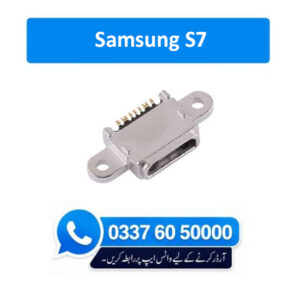
Top Quality Charging Connector for Mobile Phone Brand New Compatible Charging Connector 100% Tested Specially manufactured for Samsung S7 Charging Socket Port Connector
How to repair rusty charging port connector ?
Use a cotton swab or toothpick : Gently scrape the inside of the charging port. Sweep the toothpick around to dislodge any dust. Shake the phone: After scraping, give the phone a gentle shake to dislodge any loosened dust. Be cautious not to shake it vigorously. Take your time and be gentle: Avoid applying excessive force or pressure as you clean the port to prevent any damage.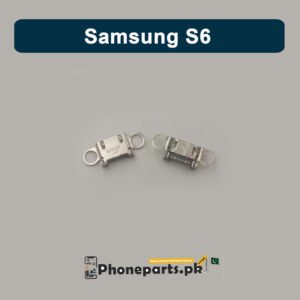
₨ 26
Top Quality Charging Connector for Mobile Phone Brand New Compatible Charging Connector 100% Tested Specially manufactured for Samsung S6 Charging Socket Port Connector
How to repair rusty charging port connector ?
Use a cotton swab or toothpick : Gently scrape the inside of the charging port. Sweep the toothpick around to dislodge any dust. Shake the phone: After scraping, give the phone a gentle shake to dislodge any loosened dust. Be cautious not to shake it vigorously. Take your time and be gentle: Avoid applying excessive force or pressure as you clean the port to prevent any damage.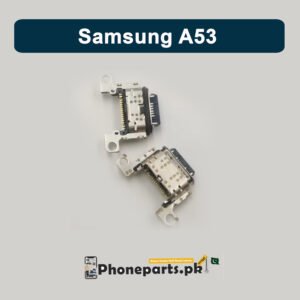
₨ 80
Top Quality Charging Connector for Mobile Phone Brand New Compatible Charging Connector 100% Tested Specially manufactured for Samsung A53 Charging Socket Port Connector
How to repair rusty charging port connector ?
Use a cotton swab or toothpick : Gently scrape the inside of the charging port. Sweep the toothpick around to dislodge any dust. Shake the phone: After scraping, give the phone a gentle shake to dislodge any loosened dust. Be cautious not to shake it vigorously. Take your time and be gentle: Avoid applying excessive force or pressure as you clean the port to prevent any damage.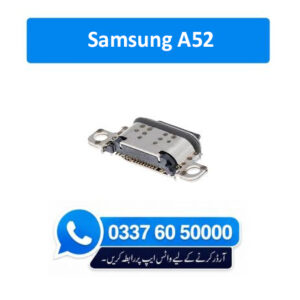
₨ 40
Top Quality Charging Connector for Mobile Phone Brand New Compatible Charging Connector 100% Tested Specially manufactured for Samsung A52 Charging Socket Port Connector
How to repair rusty charging port connector ?
Use a cotton swab or toothpick : Gently scrape the inside of the charging port. Sweep the toothpick around to dislodge any dust. Shake the phone: After scraping, give the phone a gentle shake to dislodge any loosened dust. Be cautious not to shake it vigorously. Take your time and be gentle: Avoid applying excessive force or pressure as you clean the port to prevent any damage.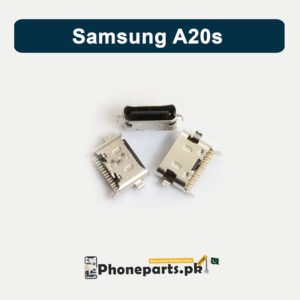
₨ 12
Top Quality Charging Connector for Mobile Phone Brand New Compatible Charging Connector 100% Tested Specially manufactured for Samsung A20s Charging Socket Port Connector
How to repair rusty charging port connector ?
Use a cotton swab or toothpick : Gently scrape the inside of the charging port. Sweep the toothpick around to dislodge any dust. Shake the phone: After scraping, give the phone a gentle shake to dislodge any loosened dust. Be cautious not to shake it vigorously. Take your time and be gentle: Avoid applying excessive force or pressure as you clean the port to prevent any damage.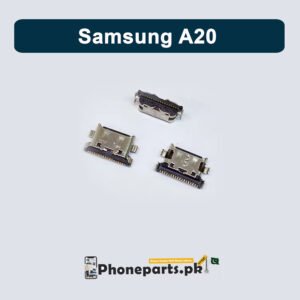
₨ 10
Top Quality Charging Connector for Mobile Phone Brand New Compatible Charging Connector 100% Tested Specially manufactured for Samsung A20 Charging Socket Port Connector
How to repair rusty charging port connector ?
Use a cotton swab or toothpick : Gently scrape the inside of the charging port. Sweep the toothpick around to dislodge any dust. Shake the phone: After scraping, give the phone a gentle shake to dislodge any loosened dust. Be cautious not to shake it vigorously. Take your time and be gentle: Avoid applying excessive force or pressure as you clean the port to prevent any damage.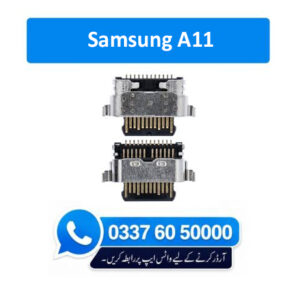
₨ 15
Top Quality Charging Connector for Mobile Phone Brand New Compatible Charging Connector 100% Tested Specially manufactured for Samsung A11 Charging Socket Port Connector
How to repair rusty charging port connector ?
Use a cotton swab or toothpick : Gently scrape the inside of the charging port. Sweep the toothpick around to dislodge any dust. Shake the phone: After scraping, give the phone a gentle shake to dislodge any loosened dust. Be cautious not to shake it vigorously. Take your time and be gentle: Avoid applying excessive force or pressure as you clean the port to prevent any damage.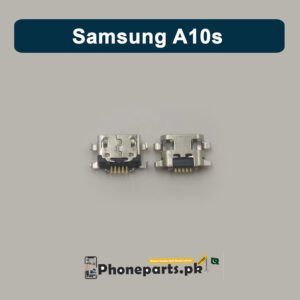
₨ 6
Top Quality Charging Connector for Mobile Phone Brand New Compatible Charging Connector 100% Tested Specially manufactured for Samsung A10s Charging Socket Port Connector
How to repair rusty charging port connector ?
Use a cotton swab or toothpick : Gently scrape the inside of the charging port. Sweep the toothpick around to dislodge any dust. Shake the phone: After scraping, give the phone a gentle shake to dislodge any loosened dust. Be cautious not to shake it vigorously. Take your time and be gentle: Avoid applying excessive force or pressure as you clean the port to prevent any damage.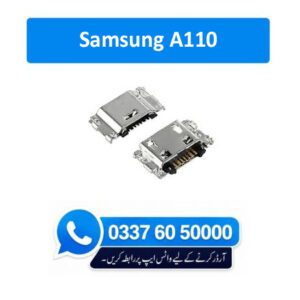
₨ 4
Top Quality Charging Connector for Mobile Phone Brand New Compatible Charging Connector 100% Tested Specially manufactured for Samsung A110 Charging Socket Port Connector
How to repair rusty charging port connector ?
Use a cotton swab or toothpick : Gently scrape the inside of the charging port. Sweep the toothpick around to dislodge any dust. Shake the phone: After scraping, give the phone a gentle shake to dislodge any loosened dust. Be cautious not to shake it vigorously. Take your time and be gentle: Avoid applying excessive force or pressure as you clean the port to prevent any damage.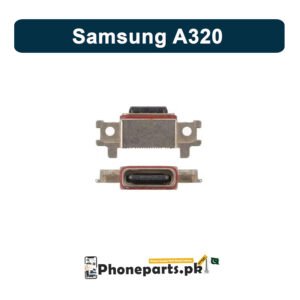
₨ 95
Top Quality Charging Connector for Mobile Phone Brand New Compatible Charging Connector 100% Tested Specially manufactured for Samsung A320 Charging Socket Port Connector
How to repair rusty charging port connector ?
Use a cotton swab or toothpick : Gently scrape the inside of the charging port. Sweep the toothpick around to dislodge any dust. Shake the phone: After scraping, give the phone a gentle shake to dislodge any loosened dust. Be cautious not to shake it vigorously. Take your time and be gentle: Avoid applying excessive force or pressure as you clean the port to prevent any damage.





₨ 100

₨ 150