
Showing 26–50 of 88 resultsSorted by latest
₨ 2
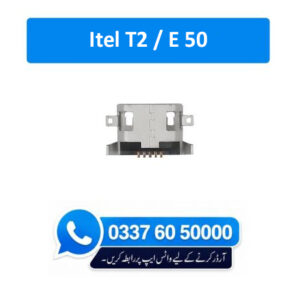
Top Quality Charging Connector for Mobile Phone Brand New Compatible Charging Connector 100% Tested Specially manufactured for Itel T2 / E 50 Charging Socket Port Connector
How to repair rusty charging port connector ?
Use a cotton swab or toothpick : Gently scrape the inside of the charging port. Sweep the toothpick around to dislodge any dust. Shake the phone: After scraping, give the phone a gentle shake to dislodge any loosened dust. Be cautious not to shake it vigorously. Take your time and be gentle: Avoid applying excessive force or pressure as you clean the port to prevent any damage.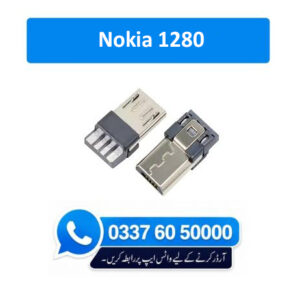
₨ 3
Top Quality Charging Connector for Mobile Phone Brand New Compatible Charging Connector 100% Tested Specially manufactured for Nokia 1280 Charging Socket Port Connector
How to repair rusty charging port connector ?
Use a cotton swab or toothpick : Gently scrape the inside of the charging port. Sweep the toothpick around to dislodge any dust. Shake the phone: After scraping, give the phone a gentle shake to dislodge any loosened dust. Be cautious not to shake it vigorously. Take your time and be gentle: Avoid applying excessive force or pressure as you clean the port to prevent any damage.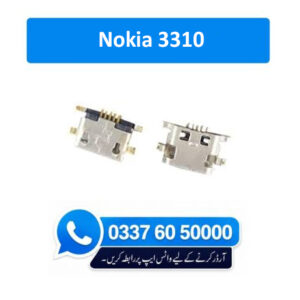
₨ 4
Top Quality Charging Connector for Mobile Phone Brand New Compatible Charging Connector 100% Tested Specially manufactured for Nokia 3310 Charging Socket Port Connector
How to repair rusty charging port connector ?
Use a cotton swab or toothpick : Gently scrape the inside of the charging port. Sweep the toothpick around to dislodge any dust. Shake the phone: After scraping, give the phone a gentle shake to dislodge any loosened dust. Be cautious not to shake it vigorously. Take your time and be gentle: Avoid applying excessive force or pressure as you clean the port to prevent any damage.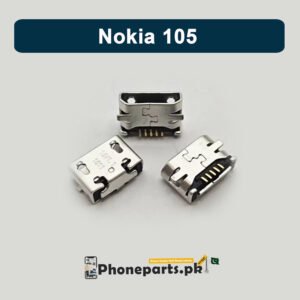
₨ 3
Top Quality Charging Connector for Mobile Phone Brand New Compatible Charging Connector 100% Tested Specially manufactured for Nokia 105 / XL Charging Socket Port Connector
How to repair rusty charging port connector ?
Use a cotton swab or toothpick : Gently scrape the inside of the charging port. Sweep the toothpick around to dislodge any dust. Shake the phone: After scraping, give the phone a gentle shake to dislodge any loosened dust. Be cautious not to shake it vigorously. Take your time and be gentle: Avoid applying excessive force or pressure as you clean the port to prevent any damage.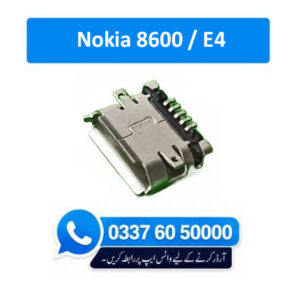
₨ 3
Top Quality Charging Connector for Mobile Phone Brand New Compatible Charging Connector 100% Tested Specially manufactured for Nokia 8600 / E4 Charging Socket Port Connector
How to repair rusty charging port connector ?
Use a cotton swab or toothpick : Gently scrape the inside of the charging port. Sweep the toothpick around to dislodge any dust. Shake the phone: After scraping, give the phone a gentle shake to dislodge any loosened dust. Be cautious not to shake it vigorously. Take your time and be gentle: Avoid applying excessive force or pressure as you clean the port to prevent any damage.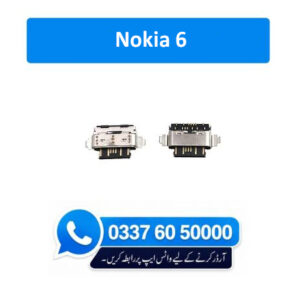
₨ 9
Top Quality Charging Connector for Mobile Phone Brand New Compatible Charging Connector 100% Tested Specially manufactured for Nokia 6 Charging Socket Port Connector
How to repair rusty charging port connector ?
Use a cotton swab or toothpick : Gently scrape the inside of the charging port. Sweep the toothpick around to dislodge any dust. Shake the phone: After scraping, give the phone a gentle shake to dislodge any loosened dust. Be cautious not to shake it vigorously. Take your time and be gentle: Avoid applying excessive force or pressure as you clean the port to prevent any damage.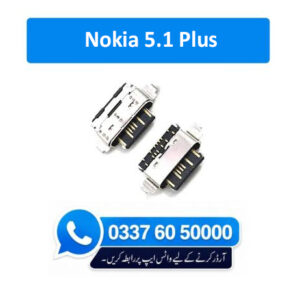
₨ 20
Top Quality Charging Connector for Mobile Phone Brand New Compatible Charging Connector 100% Tested Specially manufactured for Nokia 5.1 Charging Socket Port Connector
How to repair rusty charging port connector ?
Use a cotton swab or toothpick : Gently scrape the inside of the charging port. Sweep the toothpick around to dislodge any dust. Shake the phone: After scraping, give the phone a gentle shake to dislodge any loosened dust. Be cautious not to shake it vigorously. Take your time and be gentle: Avoid applying excessive force or pressure as you clean the port to prevent any damage.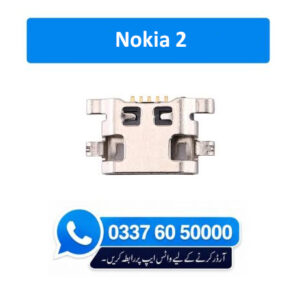
₨ 3
Top Quality Charging Connector for Mobile Phone Brand New Compatible Charging Connector 100% Tested Specially manufactured for Nokia 2 Charging Socket Port Connector
How to repair rusty charging port connector ?
Use a cotton swab or toothpick : Gently scrape the inside of the charging port. Sweep the toothpick around to dislodge any dust. Shake the phone: After scraping, give the phone a gentle shake to dislodge any loosened dust. Be cautious not to shake it vigorously. Take your time and be gentle: Avoid applying excessive force or pressure as you clean the port to prevent any damage.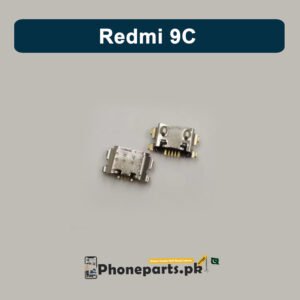
₨ 5
Top Quality Charging Connector for Mobile Phone Brand New Compatible Charging Connector 100% Tested Specially manufactured for Redmi 9C Charging Socket Port Connector
How to repair rusty charging port connector ?
Use a cotton swab or toothpick : Gently scrape the inside of the charging port. Sweep the toothpick around to dislodge any dust. Shake the phone: After scraping, give the phone a gentle shake to dislodge any loosened dust. Be cautious not to shake it vigorously. Take your time and be gentle: Avoid applying excessive force or pressure as you clean the port to prevent any damage.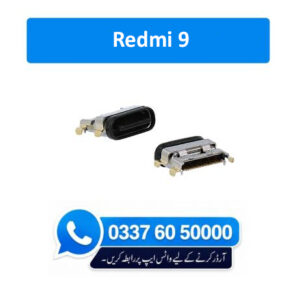
₨ 87
Top Quality Charging Connector for Mobile Phone Brand New Compatible Charging Connector 100% Tested Specially manufactured for Redmi 9 Charging Socket Port Connector
How to repair rusty charging port connector ?
Use a cotton swab or toothpick : Gently scrape the inside of the charging port. Sweep the toothpick around to dislodge any dust. Shake the phone: After scraping, give the phone a gentle shake to dislodge any loosened dust. Be cautious not to shake it vigorously. Take your time and be gentle: Avoid applying excessive force or pressure as you clean the port to prevent any damage.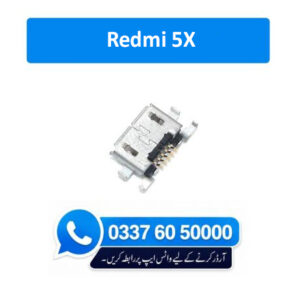
₨ 15
Top Quality Charging Connector for Mobile Phone Brand New Compatible Charging Connector 100% Tested Specially manufactured for Redmi 5X Charging Socket Port Connector
How to repair rusty charging port connector ?
Use a cotton swab or toothpick : Gently scrape the inside of the charging port. Sweep the toothpick around to dislodge any dust. Shake the phone: After scraping, give the phone a gentle shake to dislodge any loosened dust. Be cautious not to shake it vigorously. Take your time and be gentle: Avoid applying excessive force or pressure as you clean the port to prevent any damage.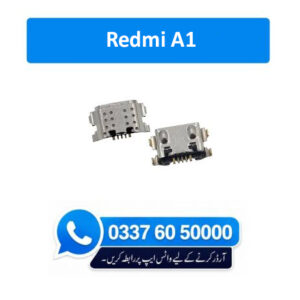
₨ 16
Top Quality Charging Connector for Mobile Phone Brand New Compatible Charging Connector 100% Tested Specially manufactured for Redmi A1 Charging Socket Port Connector
How to repair rusty charging port connector ?
Use a cotton swab or toothpick : Gently scrape the inside of the charging port. Sweep the toothpick around to dislodge any dust. Shake the phone: After scraping, give the phone a gentle shake to dislodge any loosened dust. Be cautious not to shake it vigorously. Take your time and be gentle: Avoid applying excessive force or pressure as you clean the port to prevent any damage.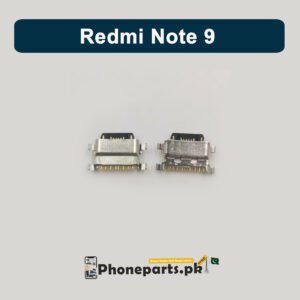
₨ 11
Top Quality Charging Connector for Mobile Phone Brand New Compatible Charging Connector 100% Tested Specially manufactured for Redmi Note 9 Charging Socket Port Connector
How to repair rusty charging port connector ?
Use a cotton swab or toothpick : Gently scrape the inside of the charging port. Sweep the toothpick around to dislodge any dust. Shake the phone: After scraping, give the phone a gentle shake to dislodge any loosened dust. Be cautious not to shake it vigorously. Take your time and be gentle: Avoid applying excessive force or pressure as you clean the port to prevent any damage.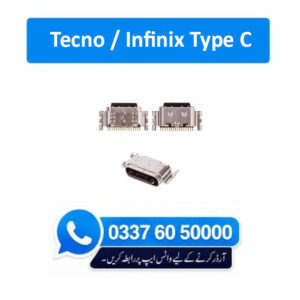
₨ 11
Top Quality Charging Connector for Mobile Phone Brand New Compatible Charging Connector 100% Tested Specially manufactured for Tecno / Infinix Type C Charging Socket Port Connector
How to repair rusty charging port connector ?
Use a cotton swab or toothpick : Gently scrape the inside of the charging port. Sweep the toothpick around to dislodge any dust. Shake the phone: After scraping, give the phone a gentle shake to dislodge any loosened dust. Be cautious not to shake it vigorously. Take your time and be gentle: Avoid applying excessive force or pressure as you clean the port to prevent any damage.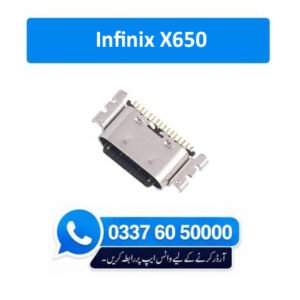
₨ 3
Top Quality Charging Connector for Mobile Phone Brand New Compatible Charging Connector 100% Tested Specially manufactured for Infinix X650 Charging Socket Port Connector
How to repair rusty charging port connector ?
Use a cotton swab or toothpick : Gently scrape the inside of the charging port. Sweep the toothpick around to dislodge any dust. Shake the phone: After scraping, give the phone a gentle shake to dislodge any loosened dust. Be cautious not to shake it vigorously. Take your time and be gentle: Avoid applying excessive force or pressure as you clean the port to prevent any damage.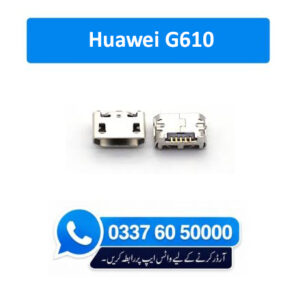
₨ 4
Top Quality Charging Connector for Mobile Phone Brand New Compatible Charging Connector 100% Tested Specially manufactured for Huawei G610 Charging Socket Port Connector
How to repair rusty charging port connector ?
Use a cotton swab or toothpick : Gently scrape the inside of the charging port. Sweep the toothpick around to dislodge any dust. Shake the phone: After scraping, give the phone a gentle shake to dislodge any loosened dust. Be cautious not to shake it vigorously. Take your time and be gentle: Avoid applying excessive force or pressure as you clean the port to prevent any damage.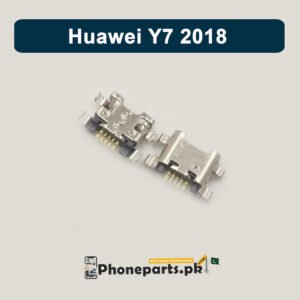
₨ 6
Top Quality Charging Connector for Mobile Phone Brand New Compatible Charging Connector 100% Tested Specially manufactured for Huawei Y7 18 Charging Socket Port Connector
How to repair rusty charging port connector ?
Use a cotton swab or toothpick : Gently scrape the inside of the charging port. Sweep the toothpick around to dislodge any dust. Shake the phone: After scraping, give the phone a gentle shake to dislodge any loosened dust. Be cautious not to shake it vigorously. Take your time and be gentle: Avoid applying excessive force or pressure as you clean the port to prevent any damage.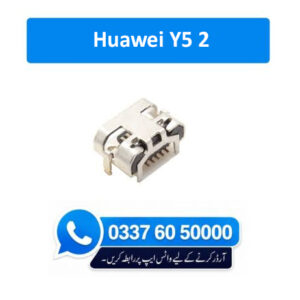
₨ 4
Top Quality Charging Connector for Mobile Phone Brand New Compatible Charging Connector 100% Tested Specially manufactured for Huawei Y5 2 Charging Socket Port Connector
How to repair rusty charging port connector ?
Use a cotton swab or toothpick : Gently scrape the inside of the charging port. Sweep the toothpick around to dislodge any dust. Shake the phone: After scraping, give the phone a gentle shake to dislodge any loosened dust. Be cautious not to shake it vigorously. Take your time and be gentle: Avoid applying excessive force or pressure as you clean the port to prevent any damage.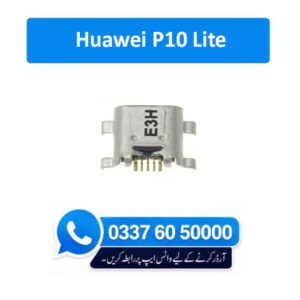
₨ 4
Top Quality Charging Connector for Mobile Phone Brand New Compatible Charging Connector 100% Tested Specially manufactured for Huawei P10 Lite Charging Socket Port Connector
How to repair rusty charging port connector ?
Use a cotton swab or toothpick : Gently scrape the inside of the charging port. Sweep the toothpick around to dislodge any dust. Shake the phone: After scraping, give the phone a gentle shake to dislodge any loosened dust. Be cautious not to shake it vigorously. Take your time and be gentle: Avoid applying excessive force or pressure as you clean the port to prevent any damage.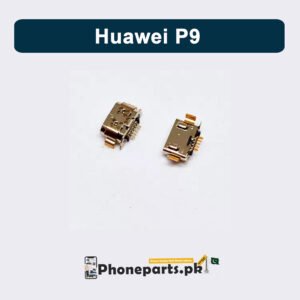
₨ 8
Top Quality Charging Connector for Mobile Phone Brand New Compatible Charging Connector 100% Tested Specially manufactured for Q Huawei P9 Charging Socket Port Connector
How to repair rusty charging port connector ?
Use a cotton swab or toothpick : Gently scrape the inside of the charging port. Sweep the toothpick around to dislodge any dust. Shake the phone: After scraping, give the phone a gentle shake to dislodge any loosened dust. Be cautious not to shake it vigorously. Take your time and be gentle: Avoid applying excessive force or pressure as you clean the port to prevent any damage.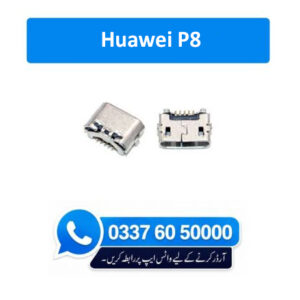
₨ 4
Top Quality Charging Connector for Mobile Phone Brand New Compatible Charging Connector 100% Tested Specially manufactured for Huawei P8 Charging Socket Port Connector
How to repair rusty charging port connector ?
Use a cotton swab or toothpick : Gently scrape the inside of the charging port. Sweep the toothpick around to dislodge any dust. Shake the phone: After scraping, give the phone a gentle shake to dislodge any loosened dust. Be cautious not to shake it vigorously. Take your time and be gentle: Avoid applying excessive force or pressure as you clean the port to prevent any damage.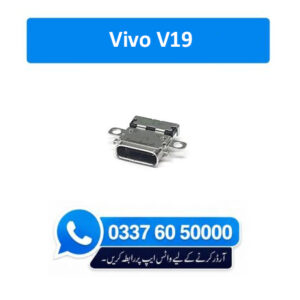
₨ 33
Top Quality Charging Connector for Mobile Phone Brand New Compatible Charging Connector 100% Tested Specially manufactured for Vivo V19 Charging Socket Port Connector
How to repair rusty charging port connector ?
Use a cotton swab or toothpick : Gently scrape the inside of the charging port. Sweep the toothpick around to dislodge any dust. Shake the phone: After scraping, give the phone a gentle shake to dislodge any loosened dust. Be cautious not to shake it vigorously. Take your time and be gentle: Avoid applying excessive force or pressure as you clean the port to prevent any damage.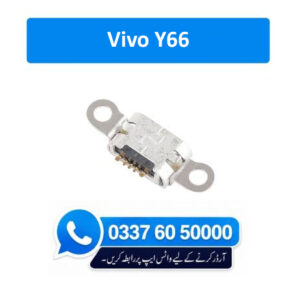
₨ 6
Top Quality Charging Connector for Mobile Phone Brand New Compatible Charging Connector 100% Tested Specially manufactured for Vivo Y66 Charging Socket Port Connector
How to repair rusty charging port connector ?
Use a cotton swab or toothpick : Gently scrape the inside of the charging port. Sweep the toothpick around to dislodge any dust. Shake the phone: After scraping, give the phone a gentle shake to dislodge any loosened dust. Be cautious not to shake it vigorously. Take your time and be gentle: Avoid applying excessive force or pressure as you clean the port to prevent any damage.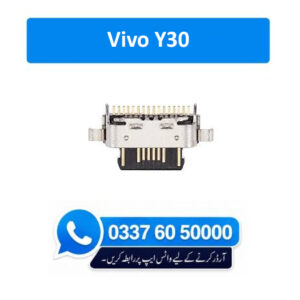
₨ 55
Top Quality Charging Connector for Mobile Phone Brand New Compatible Charging Connector 100% Tested Specially manufactured for Vivo Y30 Charging Socket Port Connector
How to repair rusty charging port connector ?
Use a cotton swab or toothpick : Gently scrape the inside of the charging port. Sweep the toothpick around to dislodge any dust. Shake the phone: After scraping, give the phone a gentle shake to dislodge any loosened dust. Be cautious not to shake it vigorously. Take your time and be gentle: Avoid applying excessive force or pressure as you clean the port to prevent any damage.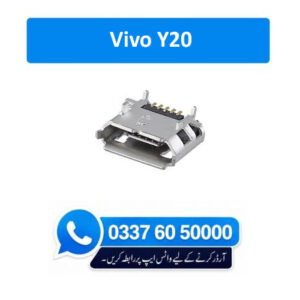
₨ 5
Top Quality Charging Connector for Mobile Phone Brand New Compatible Charging Connector 100% Tested Specially manufactured for Vivo Y20 Charging Socket Port Connector
How to repair rusty charging port connector ?
Use a cotton swab or toothpick : Gently scrape the inside of the charging port. Sweep the toothpick around to dislodge any dust. Shake the phone: After scraping, give the phone a gentle shake to dislodge any loosened dust. Be cautious not to shake it vigorously. Take your time and be gentle: Avoid applying excessive force or pressure as you clean the port to prevent any damage.In order to provide you a personalized shopping experience, our site uses cookies.
cookie policy.