
-
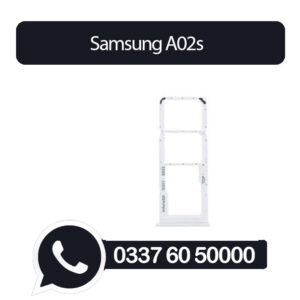
Samsung A02s Sim Tray White (All Colors Available) – Sim Tray Replacement for Samsung A02s
- High Quality Dual Sim Card Tray Replacement For Samsung A02s Sim Tray White
- Replace damaged or cracked Dual Sim Card Tray with this part.
- This SIM tray will help to insert SIM card into the phone body and get good connectivity without too much effort.
- This replacement is specially designed for Samsung A02s Sim Tray White
- To pop open your device’s SIM tray, insert a paperclip or a SIM-eject tool into the hole beside the tray.
Every part is tested before shipping.
- Compatible With Samsung A02s Sim Tray White
- Replacement Dual Sim Card Tray Compatible For Samsung A02s Sim Tray White
₨150 -
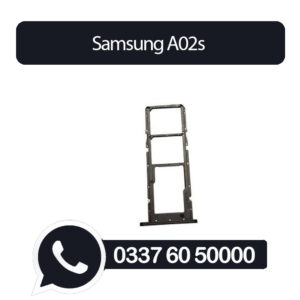
Samsung A02s Sim Tray Black (All Colors Available) – Sim Tray Replacement for Samsung A02s Sim Tray Black
- High Quality Dual Sim Card Tray Replacement For Samsung A02s Sim Tray Black
- Replace damaged or cracked Dual Sim Card Tray with this part.
- This SIM tray will help to insert SIM card into the phone body and get good connectivity without too much effort.
- This replacement is specially designed for Samsung A02s Sim Tray Black
- To pop open your device’s SIM tray, insert a paperclip or a SIM-eject tool into the hole beside the tray.
Every part is tested before shipping.
- Compatible With Samsung A02s Sim Tray Black
- Replacement Dual Sim Card Tray Compatible For Samsung A02s Sim Tray Black
₨150 -
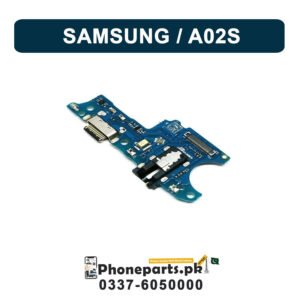
Samsung A02S Charging Flex | Samsung A02S Charging Port Price
Top Quality Charging Flex or Charging Port Connector for Mobile Phone Brand New Compatible Charging Connector 100% Tested Specially manufactured for Samsung A02S
Samsung A02S Charging Flex Details :
- Replace your broken or damaged or Charging
- Connector Flex PCB Board with the brand new.
- Each item has been checked and in good condition before shipping.
- The installation of any new part should be done by a qualified person.
Use a cotton swab or toothpick :
Gently scrape the inside of the charging port. Sweep the toothpick around to dislodge any dust.Shake the phone :
After scraping, give the phone a gentle shake to dislodge any loosened dust. Be cautious not to shake it vigorously.Take your time and be gentle :
Avoid applying excessive force or pressure as you clean the port to prevent any damage.₨680