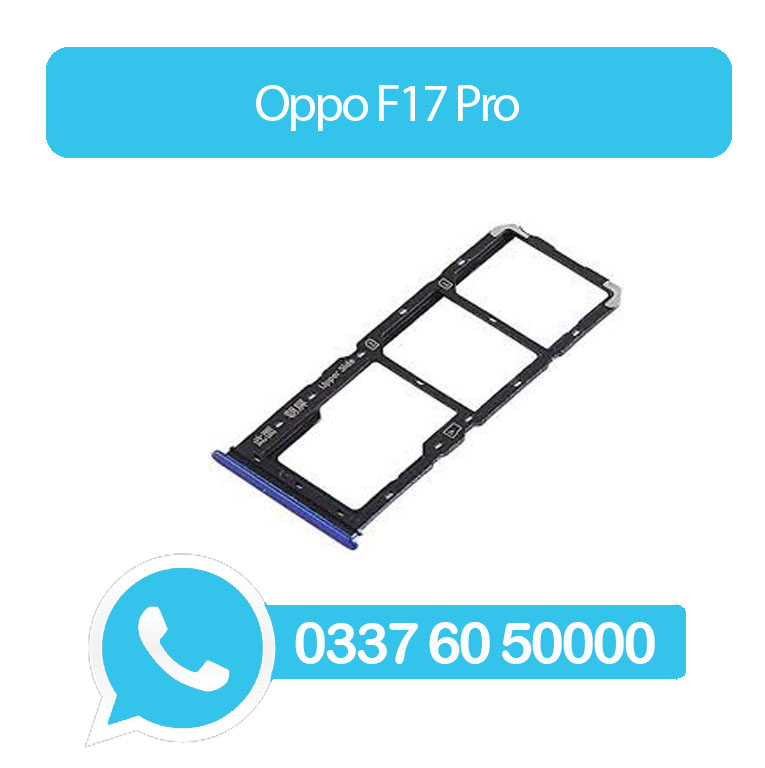
Oppo F17 Pro Sim Tray Blue(All Colors Available) – Oppo F17 Pro
Roll over image to zoom in
₨300
- High Quality Dual Sim Card Tray Replacement For Oppo F17 Pro Sim Tray Blue
- Replace damaged or cracked Dual Sim Card Tray with this part.
- This SIM tray will help to insert SIM card into the phone body and get good connectivity without too much effort.
- This replacement is specially designed for Oppo F17 Pro Sim Tray Blue
- To pop open your device’s SIM tray, insert a paperclip or a SIM-eject tool into the hole beside the tray.
Every part is tested before shipping.
- Compatible With Oppo F17 Pro Sim Tray Blue
- Replacement Dual Sim Card Tray Compatible For Oppo F17 Pro Sim Tray Blue
Product details
- High Quality Dual Sim Card Tray Replacement For Oppo F17 Pro Sim Tray Blue
- Replace damaged or cracked Dual Sim Card Tray with this part.
- This SIM tray will help to insert SIM card into the phone body and get good connectivity without too much effort.
- This replacement is specially designed for Oppo F17 Pro Sim Tray Blue
- To pop open your device’s SIM tray, insert a paperclip or a SIM-eject tool into the hole beside the tray.
Every part is tested before shipping.
- Compatible With Oppo F17 Pro Sim Tray Blue
- Replacement Dual Sim Card Tray Compatible For Oppo F17 Pro Sim Tray Blue